On this article
- 1. Record the complete provider charge
- 2. List the platform work your team retains
- 3. Use loaded time, not an optimistic hourly rate
- 4. Separate routine work from events
- 5. Count the tools needed to make the service usable
- 6. Make the responsibility difference visible
- 7. Include constraints and change cost
- 8. Run three scenarios
- A worked example without invented prices
- Questions that improve the estimate
- Novasean and the cost question
- Sources
The cheapest server is not always the lowest-cost hosting decision. The invoice can exclude patching, monitoring, incident response, restore work, licences and the time your team spends coordinating suppliers.
The reverse is also true: a managed plan is not automatically good value. You only gain value from work the provider actually owns, performs and can evidence.
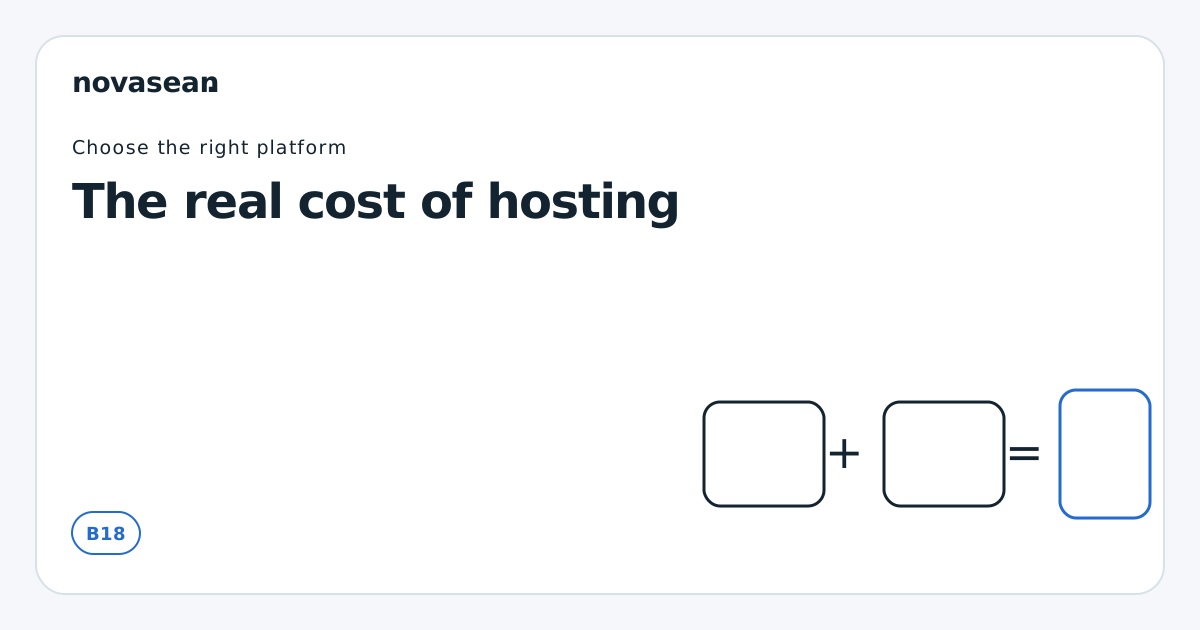
Compare hosting with a total-work model:
Comparison cost = provider charges + separately paid tools and licences + retained routine platform work + scenario change and incident work + migration and exit work
This is a decision aid, not an accounting standard, a forecast or a promised saving. Count each charge and task once, use the same period, currency and tax basis for each option, and keep uncertain events as scenarios rather than adding them to a routine monthly bill.
1. Record the complete provider charge
Start with the amounts you can verify:
- recurring hosting charge;
- setup or onboarding charge;
- management option;
- backup and additional storage;
- traffic or usage charges;
- control-panel and software licences;
- monitoring or security add-ons;
- support tier;
- migration or restore charges;
- applicable tax treatment;
- minimum term and renewal conditions.
Use the same billing period and currency for every option. Keep introductory and later prices separate. Do not fill an unknown with zero.
Cloud spending can vary with architecture and use. GOV.UK guidance notes that storage choices, database technology, encryption and region can all affect cost, and that forecasting requires knowing what is actually running. Even a fixed-price hosting package can create variable work outside the invoice.
2. List the platform work your team retains
Build a monthly or quarterly task inventory. Typical platform tasks include:
- operating-system and runtime updates;
- vulnerability and lifecycle review;
- user and privileged-access administration;
- firewall and service configuration;
- certificate management;
- resource and service monitoring;
- alert investigation;
- backup checks and restore tests;
- capacity review;
- log retention and review;
- incident triage;
- supplier coordination;
- change records and client reporting.
Do not include application work in the provider saving unless the provider actually takes it on. Plugin updates, code changes, functional testing, content and client decisions often remain with the agency even when the server is managed.
3. Use loaded time, not an optimistic hourly rate
For each retained task, estimate:
- frequency;
- typical active time;
- waiting and coordination time;
- reviewer or approver time;
- cover when the usual person is unavailable;
- the loaded cost of the people involved.
Loaded cost can include salary or contractor fees, employment costs and attributable management time. Opportunity cost is a different view of displaced billable or product activity: show it separately rather than adding it to a loaded labour figure for the same hours. Choose and document the basis; do not present opportunity cost as cash already spent.
Avoid false precision. A range such as two to four hours per month is more honest than 2.37 hours when you have no time data.
4. Separate routine work from events
Routine work is easier to estimate: planned patching, access review, backup checks and monthly reporting. Event work is irregular: an outage, failed update, urgent certificate issue or major-version change.
For event work, use scenarios rather than pretending to know an annual average. Keep routine time in the routine-work line and count only the additional work in an event scenario:
| Scenario | Work to count |
|---|---|
| Quiet quarter | Routine maintenance, monitoring and supplier review |
| Ordinary incident | Triage, evidence collection, provider handover, application validation and client update |
| Significant change | Planning, test environment, implementation, rollback readiness and acceptance |
| Recovery exercise | Restore request, isolated target, data and application checks, documentation and disposal |
Record who does each step under each hosting option. A managed service may reduce some work, move some work into supplier coordination and leave application acceptance unchanged.
5. Count the tools needed to make the service usable
A server price may not include the tools you need for responsible operation. Depending on the workload, add:
- monitoring and alerting;
- external availability checks;
- backup storage;
- security scanning;
- log storage;
- transactional email;
- control-panel or database licences;
- password or privileged-access management;
- status communication;
- test and staging resources.
Avoid double-counting. If a managed plan includes a tool and the provider owns the corresponding task, do not also charge your team for doing the complete task. If your team must review the result, count only that retained step.
6. Make the responsibility difference visible
Use a comparison table with one task per row:
| Task | Option A owner | Option A cost/work | Option B owner | Option B cost/work |
|---|---|---|---|---|
| OS security updates | Agency | Estimated internal time | Provider | Included, approval retained |
| Runtime upgrade | Joint | Agency compatibility test | Joint | Provider platform change; agency test |
| Plugin updates | Agency | Unchanged | Agency | Unchanged |
| Backup operation | Agency/tool | Tool plus checks | Provider | Confirm exact inclusion |
| Restore request | Agency | Execution and validation | Joint | Provider execution; agency validation |
| Client communication | Agency | Unchanged | Agency | Unchanged |
This prevents a common error: assigning the full value of a task to a provider when the customer still owns approval, testing or communication.
7. Include constraints and change cost
The cheapest suitable option today can become expensive if it blocks a predictable change. Check:
- supported runtime versions;
- resource limits and allocation;
- resize path and downtime;
- storage growth and inability to shrink;
- data export;
- contract term;
- migration assistance;
- application compatibility;
- availability of competent support.
Provider documentation shows how technical choices affect cost and behaviour. DigitalOcean, for example, distinguishes shared CPU from dedicated CPU and recommends benchmarking or load-testing the intended workload. Hostinger publishes multiple resource limits for shared and agency plans. These are vendor-specific examples, not Novasean resource or performance claims; they illustrate why a headline price or vCPU count is not a complete comparison.
8. Run three scenarios
Use at least three views:
Expected
Your best current estimate of routine work and ordinary change.
Low-work
A quiet period with no material incident. This shows the minimum recurring cost.
High-work
A significant incident or change, increased supplier coordination and cover for absence. This shows where responsibility and support scope matter.
Do not multiply a dramatic incident by an invented probability. Keep uncertain event costs as scenarios until you have credible operational data.
A worked example without invented prices
Suppose an agency compares an unmanaged VPS with a managed VPS over the same H-month decision horizon. Use variables rather than market assumptions:
- U = unmanaged monthly provider charge;
- M = managed monthly provider charge;
- Tᵤ = monthly routine internal platform time under unmanaged hosting;
- Tₘ = monthly routine retained platform time under managed hosting;
- R = loaded internal hourly rate;
- Aᵤ / Aₘ = separately paid tools and licences not already in U or M;
- Eᵤ / Eₘ = additional internal change and incident labour in the selected H-month scenario, valued on the same labour basis and excluding routine time in T and work counted elsewhere;
- Xᵤ / Xₘ = one-off setup, migration and exit charges or work for the same decision horizon, excluding anything already counted in U, M, A or E;
- Vᵤ / Vₘ = additional provider usage, support, restore or other event charges in that H-month scenario, excluding amounts already included in U, M, A, E or X.
Then compare:
Unmanaged comparison = H × [U + (Tᵤ × R) + Aᵤ] + Eᵤ + Xᵤ + Vᵤ
Managed comparison = H × [M + (Tₘ × R) + Aₘ] + Eₘ + Xₘ + Vₘ
Use U, M, A and routine time on the same monthly basis, in one currency and on the same before- or after-tax basis. Keep E, X and V as scenario totals within the same H-month horizon, rather than multiplying them by H again. If an evidenced U or M already includes a variable provider charge, leave that amount out of V; do not enter zero for an unknown fee. Show any exit work beyond the horizon separately instead of silently omitting or allocating it. Do not subtract a supposed saving for application work that remains with the agency. The useful output is not merely which expression is lower. It is which work moves, which work remains and whether the resulting operating model is credible. No values here are observed Novasean or customer costs.
Questions that improve the estimate
- Which platform task interrupted client or delivery work in the last quarter?
- How much time did diagnosis and supplier handover take?
- Which work would the proposed managed scope genuinely remove?
- Which application and client responsibilities remain unchanged?
- Does the provider supply evidence, or only a feature label?
- Can the team cover the retained responsibilities during absence?
- What triggers a move, resize or separately scoped service?
Update the worksheet after real work. An estimate becomes more useful when it is compared with time records, invoices and incident evidence.
Novasean and the cost question
Novasean's current Managed VPS page displays VM Start, VM Grow and VM Scale catalogue amounts of €78, €98 and €138 per month respectively, each including the Managed OS option and excluding applicable VAT. New VPS orders are temporarily paused. Those amounts allow a plan-price comparison, but not a claim of customer savings: applicable scope, terms, availability and final charges are to be confirmed before any new order. Application code and content remain the customer's responsibility unless separately agreed.
The fair future comparison is the applicable total price plus the work Novasean accepts, against the customer's current provider cost plus the platform work the customer still performs. Application work must remain visible on both sides unless a separate agreement moves it.
Sources
- GOV.UK: managing your spending in the cloud — official guidance on operational ownership, usage visibility, technical choices and cloud spending.
- NCSC: cloud security shared responsibility model — official guidance used to identify retained and delegated work.
- DigitalOcean: choosing the right CPU Droplet plan — provider documentation illustrating resource-allocation differences and load-test-led selection.
- Hostinger: hosting plan parameters and limits — dated provider example of plan limits beyond the headline allowance.
- Novasean: Managed VPS information — live status inspected on 2 October 2026.